
Currency
Squad
Squad
Kudo Broker Account Setup & Deposit Guide
Important: only sign up through the link above so your account is routed correctly for VIP access. Kudo is not available to US citizens or residents. If you are in the US, message the team and we will set you up with the right broker.
Five steps from sign up to VIP access
Open Your Trading Account
- Open the official link above to reach the Kudo registration page.
- Complete the 3 part signup: Account Details, Personal Information, then Trading Profile.
- Select your Country of Residence and enter your name exactly as shown on your passport or official ID.
- Set a strong password, tick the Terms and Risk Disclosure boxes, and click Continue through each step.
- Confirm your email to activate your account.
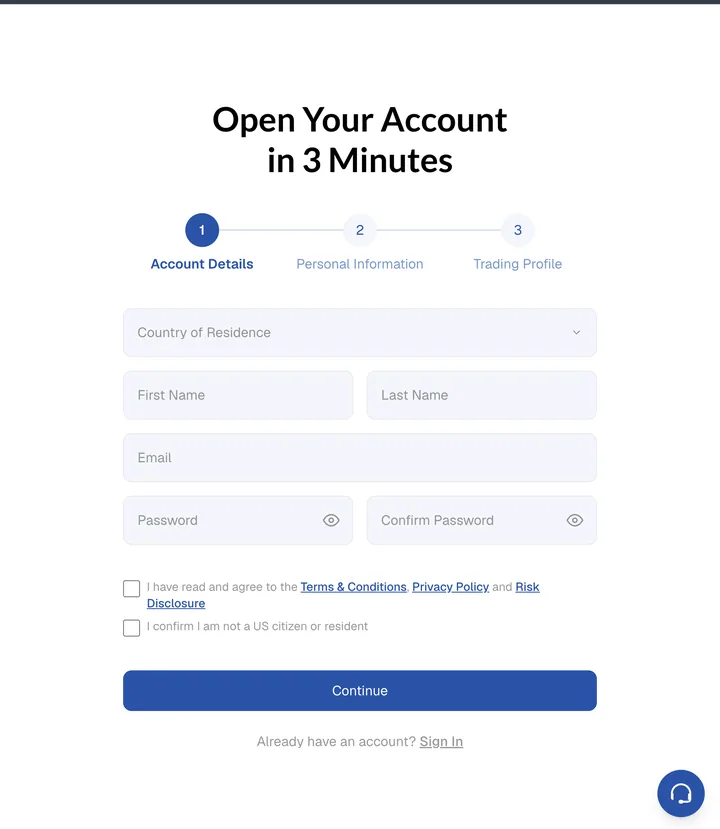
The Kudo account registration form
Verify Your Account
- In your Kudo dashboard, go to Account Settings and open Document Verification.
- Read the consent screen and click Agree and continue.
- Complete the 3 verification steps: provide your identity document, your address information, then perform the liveness check with your camera.
- Wait for verification to complete before making your deposit.
Have your ID ready and good lighting for the liveness check. It only takes a couple of minutes.
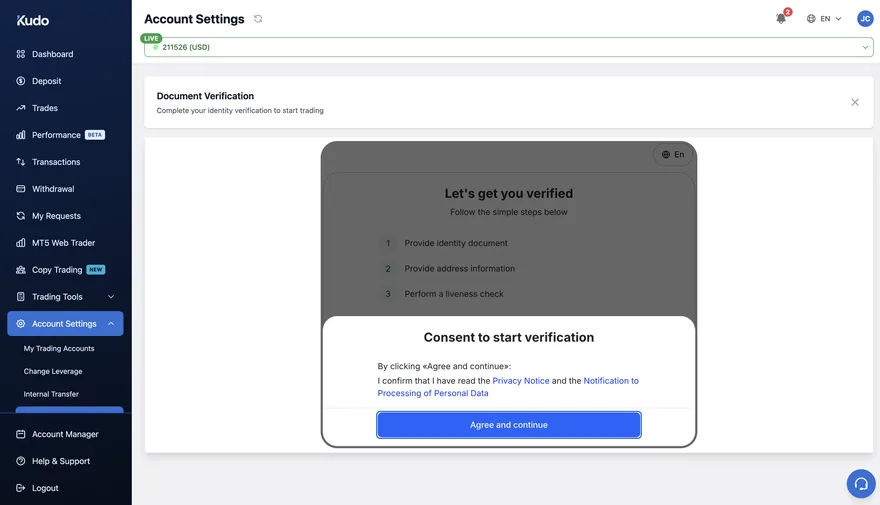
Document verification in Account Settings
Fund Your Trading Account
- Open Deposit from the sidebar of your Kudo dashboard.
- Enter your amount (minimum USD 50) or tap a quick amount, then click Continue and complete the payment. Deposits are processed instantly.
- Note your Account Number shown at the top of the page and take a screenshot of your Deposit Confirmation. You will need both in the final step.

The Kudo deposit page
Trade on MetaTrader 5
- Kudo has MT5 built into your dashboard: click MT5 Web Trader in the sidebar and you are trading straight away, no separate login needed.
- Prefer the app? Download MetaTrader 5 from the App Store or Google Play, then go to Settings, tap New Account and choose Login to an existing account.
- Search for the Kudo server name from your account credentials, enter your Login and Password, and connect.
- Your account balance showing at the top of the Trade tab means you are connected and ready.
The Web Trader is the fastest way to get started. You can set up the mobile app any time after.
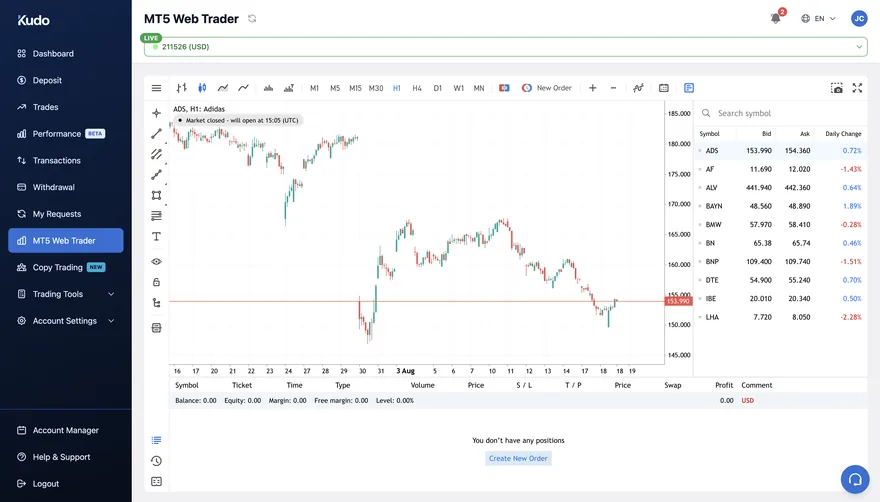
MT5 Web Trader inside the Kudo dashboard
Unlock VIP Access
- Find your Account Number at the top of your Kudo dashboard.
- Send your Full Name, Account Number and Deposit Screenshot to your Currency Squad onboarding representative.
- Once confirmed, you will be added to the VIP group.
For your own safety, keep your login credentials secure and never share them with anyone.
Need help during setup?
Kudo support is available 24/7 through the Help & Support section of your dashboard. For anything about VIP access or which broker is right for you, message the Currency Squad team: